Polished pinned Home screen: headless QEMU injected-touch acceptance
Observed 2026-09-24, source branch fix/home-screen-polish, commit 084d550c
(rebased onto origin/master’s 9ff0462c; the change this polishes is
openspec/changes/the-shell-presents-a-pinned-home-screen/, itself based on
c575479b). Superseded
capture of the same suite: a first cut of this same test (icons capped at
60px, no wallpaper, flat-color fixture icons, a black dock bar) is described
in this file’s own prior revision; every observation below is from the
redesigned rendering (home_grid.rs, home_screen.rs, render.rs).
This ran the cross-built Sway with the card-shell patch
(/nix/store/cwpfizab7mz285vcyha1kci64ij2m511-sway-unwrapped-riscv64-unknown-linux-gnu-1.12/bin/sway,
found via nix-store -qR on .#card-shell) and the Rust shell client
(/nix/store/cx1linpyyr7xdib4r6n6ay1ry8lnhbla-k230-shell-rust-riscv64-unknown-linux-gnu-0.1.0/bin/k230-shell-rust)
under qemu-riscv64-static with a 568x1232 headless Pixman output. The
compositor’s native card_shell test-touch route supplied synthetic Wayland
touch events (SWAY_K230_CARD_SHELL=1 SWAY_K230_CARD_TOUCH_FIRST=1 SWAY_K230_CARD_TEST_INPUT=1, matching the real integrated session).
Real theming and icons, not fixtures. Unlike the first cut, this run uses:
- a real Omarchy wallpaper for both themes — the dark pass loads
nix/handheld-theme-default’s own bundled default generation unchanged (/nix/store/2idwl586jkz327w3rypg1mfw41pmbgrj-handheld-theme-default-28ceaae7, generation0d16475245f13b3d7d3f036f,backgrounds/2-waves.webp, with itsbackground.cachealready built); the light pass runs the repository’s own theme-activation pipeline (tools/theme_activate.prepare) against that same bundle’s pinnedcatppuccin-latteOmarchy source tree, producing generation8c4f2f493b2f30afbe437737withbackgrounds/1-color-fade.webp. Both are real Omarchy themes with real wallpaper files decoded through the realbackground_decode/draw_wallpaperpath, not a palette-only fixture with"backgrounds": []; - a real bundled icon theme —
nix/handheld-theme-icons(/nix/store/in3nc21zx02xiz2rdp5bpq36719x3axd-handheld-theme-icons-25.10.3, Yaru/Yaru-purple/Yaru-blue/Humanity/hicolor) onXDG_DATA_DIRS, resolved throughicon.rs’s real freedesktop lookup/decode, not a private single-SVG fixture theme; - for the interactive scenarios, desktop entries whose
Name/Iconmatch this image’s own real ones (nix/handheld-desktop-entries.nix: Terminal/foot, Monitor/htop, Files/folder) exactly —Execis swapped for a controllable marker script so this test can assert a launch happened without spawning a real terminal emulator inside headless QEMU. Realfoothas no bundled icon in Yaru either (confirmed against the built icon theme), so “Terminal” showing the initial-letter fallback plate below is the same real-image behavior, not a rendering gap; - for the showcase pass (a fully populated page, not the sparse interactive
fixture), twenty additional labels chosen to exactly fill one page
(
apps_per_page() == 20) plus the four real dock names, each pointingIcon=at a real, verified-present name in the bundled Yaru theme (e.g.gnome-terminal,nautilus,gnome-calculator,internet-web-browser) so every icon painted is real bundled artwork through the real decode path. The apps themselves (Calculator, Weather, Maps, …) are not installed on the real handheld image; only their icon names are real.
Reproduce with the committed runner and exact executables:
python3 tests/rust_home_screen_qemu.py \
  --sway /nix/store/cwpfizab7mz285vcyha1kci64ij2m511-sway-unwrapped-riscv64-unknown-linux-gnu-1.12/bin/sway \
  --swaymsg /nix/store/cwpfizab7mz285vcyha1kci64ij2m511-sway-unwrapped-riscv64-unknown-linux-gnu-1.12/bin/swaymsg \
  --rust /nix/store/cx1linpyyr7xdib4r6n6ay1ry8lnhbla-k230-shell-rust-riscv64-unknown-linux-gnu-0.1.0/bin/k230-shell-rust \
  --theme-bundle /nix/store/2idwl586jkz327w3rypg1mfw41pmbgrj-handheld-theme-default-28ceaae7 \
  --icons /nix/store/in3nc21zx02xiz2rdp5bpq36719x3axd-handheld-theme-icons-25.10.3 \
  --output /tmp/k230-hp-N
PASS: all eighteen checks in result.json are true.
The layout, and why
home_grid.rs now sizes a 4-column x 5-row grid (20 icons per page) plus a
4-slot dock — 24 icons resident at once, matching icon.rs::CACHE_LIMIT
exactly, so a fully populated page plus dock never evicts and re-decodes an
icon mid-frame. 4 columns matches the drawer’s own reasoning (a Home tile is
icon-first, unlike the drawer’s name-first list); 5 rows is what this
panel’s actual vertical budget yields once a compositor-imposed top-edge
gesture band (see below), the page dots, and the dock are reserved, while
still landing each icon’s glyph at 80px (grid) / 88px (dock) — both inside
the 72-96px “sized for a finger” band — with a rounded “squircle” plate,
generous tile spacing, and the icon+label block centered in its row rather
than pinned to the row’s top edge (the first cut’s “crammed at the top,
empty below” look).
The dock is a translucent themed panel (service_card’s own “launcher”
brushes, the same theming every other floating panel in this shell uses),
holding its own larger, unlabeled icon plates — webOS Quick Launch /
Android hotseat convention — not a flat solid-color bar. Page dots are a
small pill for the active page and plain dots otherwise. Every label gets a
soft drop-shadow pass (shadowed_label) for legibility over an arbitrary
wallpaper, since Home (unlike every other panel here) paints directly over
it with no opaque backing.
Rearrange mode now shows a small red remove badge (iOS/webOS jiggle-mode style) at each filled icon’s corner — tapping it removes that icon immediately, no drag required — alongside the original drag-to-the-Remove- pill flow, which still works unchanged. A dragged icon’s live drop target is now highlighted (a translucent rounded rect over the cell it would land on).
A real compositor-level finding, not just cosmetic: under
SWAY_K230_CARD_TOUCH_FIRST=1 (set for every real session, nix/shell.nix),
the card-shell compositor patch consumes any fresh touch-down with
y < 48 for its own pull-down-for-shade gesture, before any client surface
ever sees it (card-shell-policy.c’s default edge_band = 48,
adapter.c’s touch_first() branch). The first draft of this redesign put
the Done/Remove pills at y: 16-72, which a drag release could still
reach (a touch’s owning surface is fixed at its down point) but a plain
tap could not — confirmed by first reproducing the failure directly
against this real compositor via headless touch injection, then fixing it:
home_grid.rs’s pills now sit at y >= 52, with a new unit test
(done_and_remove_pills_clear_the_compositors_top_edge_gesture_band)
pinning the constraint in code, not just tribal knowledge.
What each capture shows
Sparse (2-4 app) interactive fixture, dark theme, real wallpaper/icons:
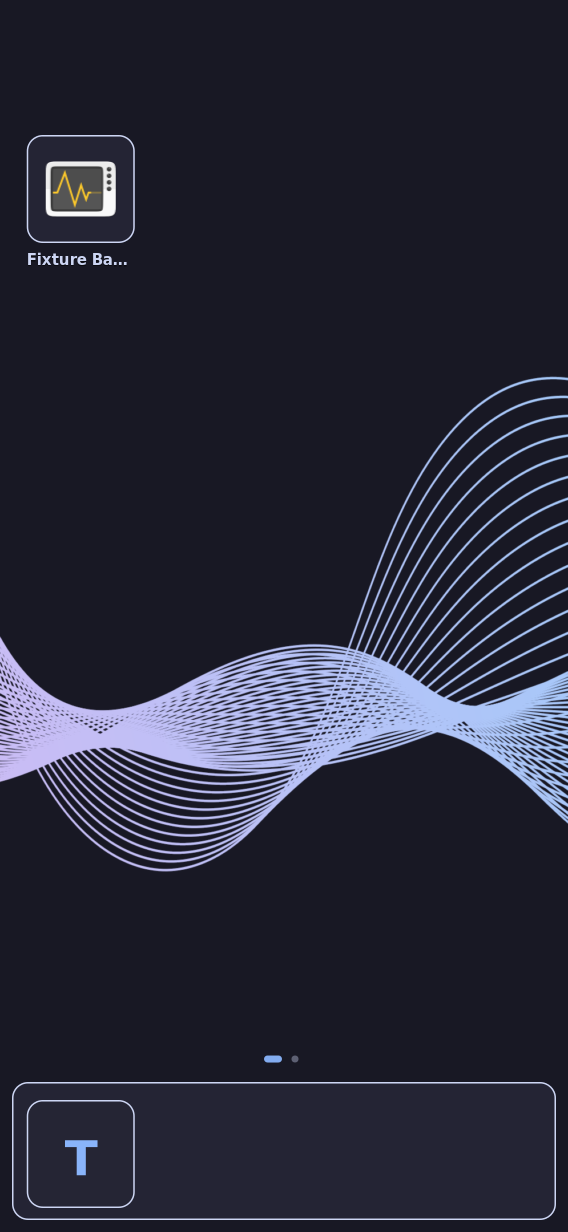
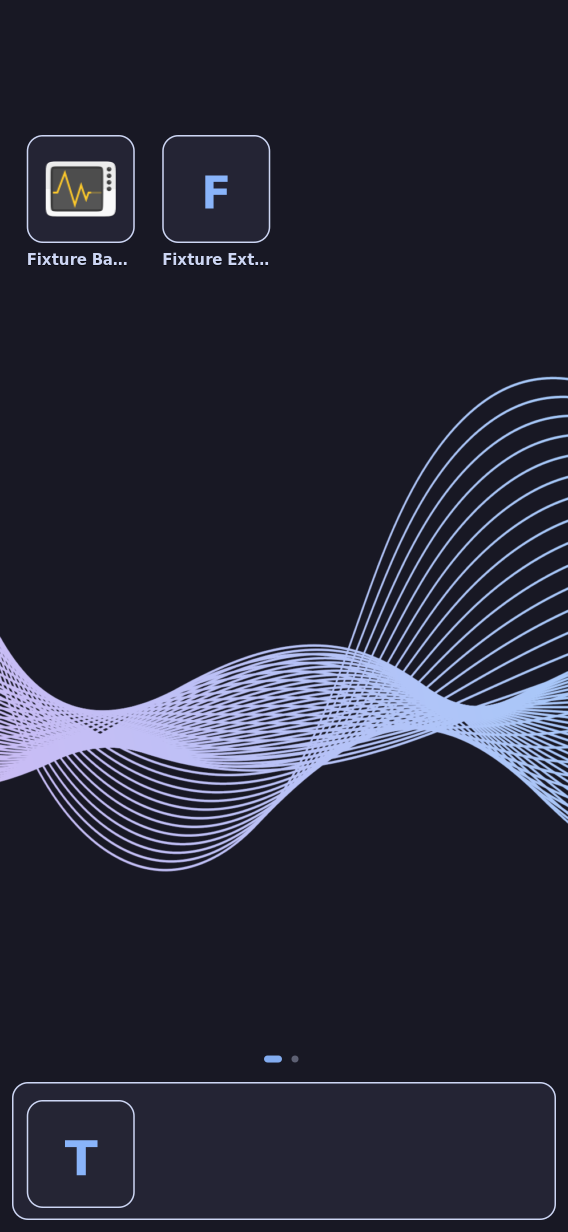
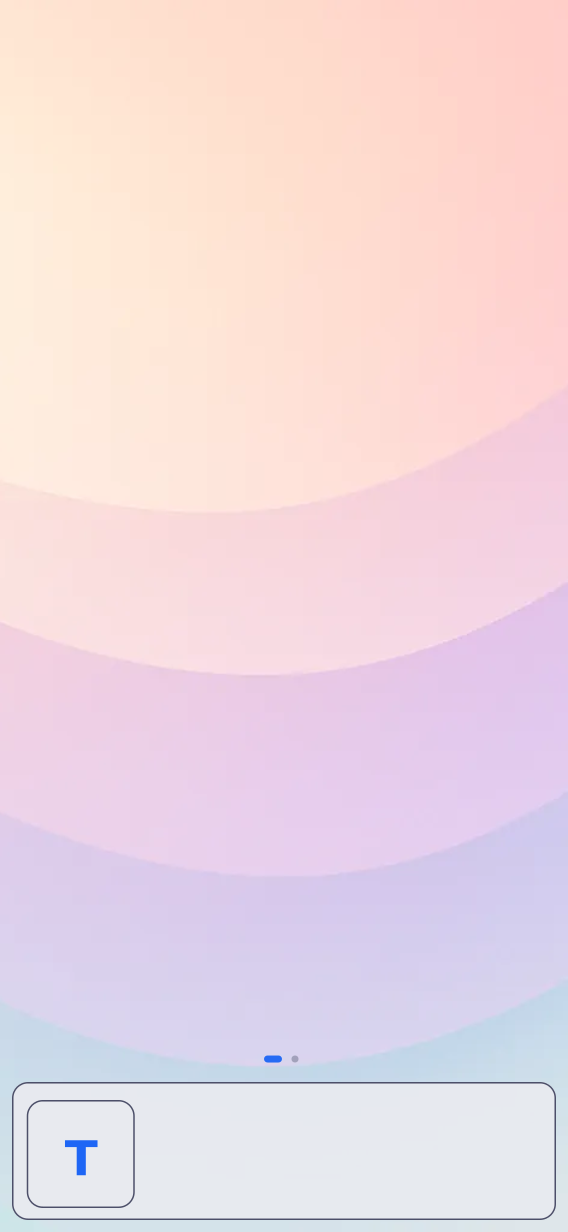
- home-dark-page1.png — fresh Home at rest: page 1,
one page dot lit, “Fixture Badge” showing a real decoded
htopicon in a rounded plate, “Terminal” in the dock showing the initial-letter fallback (realfoothas no bundled icon either). - home-dark-mid-swipe.png — captured with the touch still down, partway through a leftward drag.
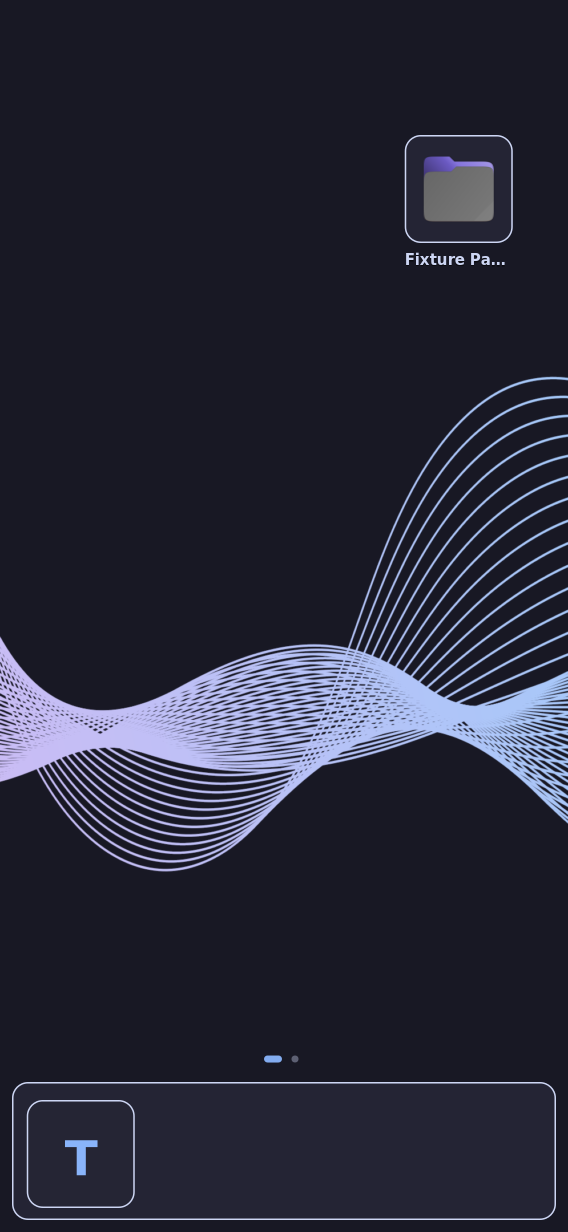
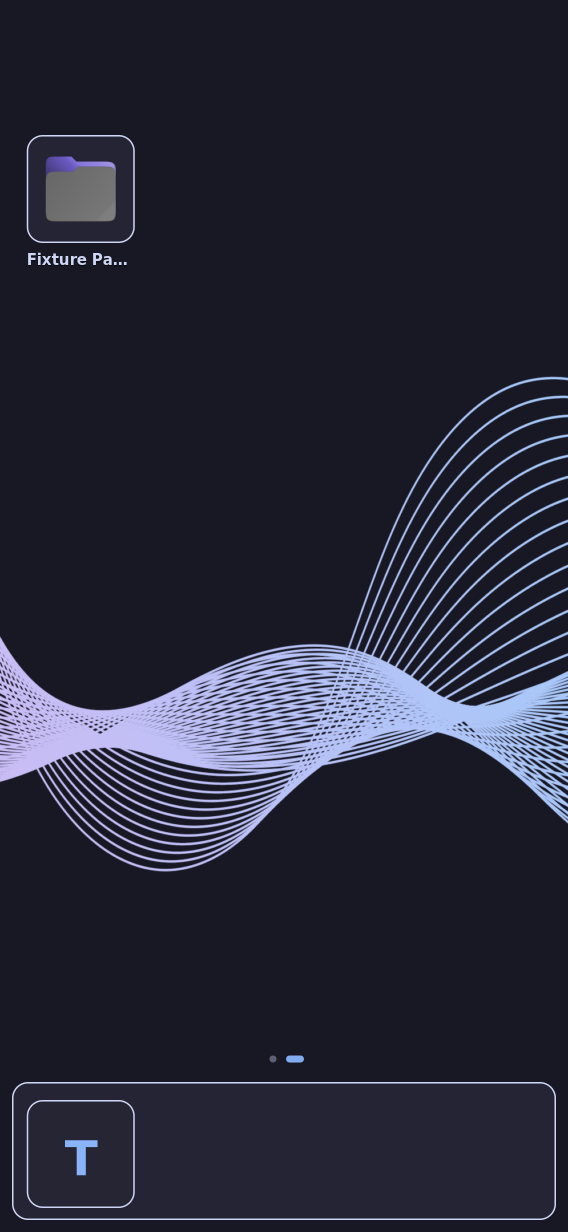
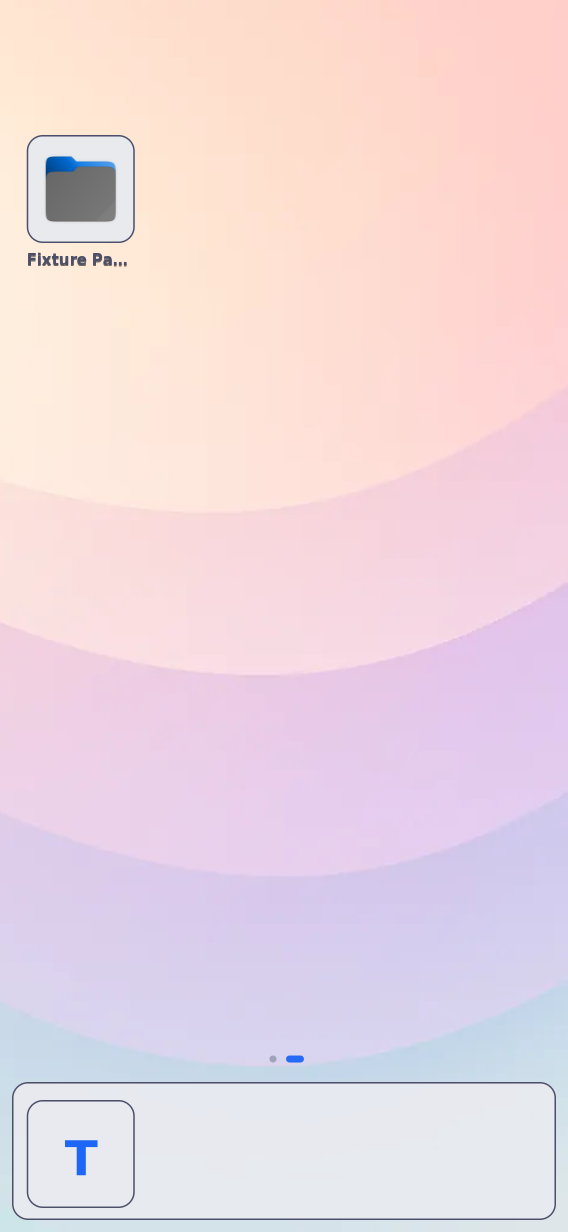
- home-dark-page2.png — after release past the
settle threshold: page 2, “Fixture Page Two” (a real
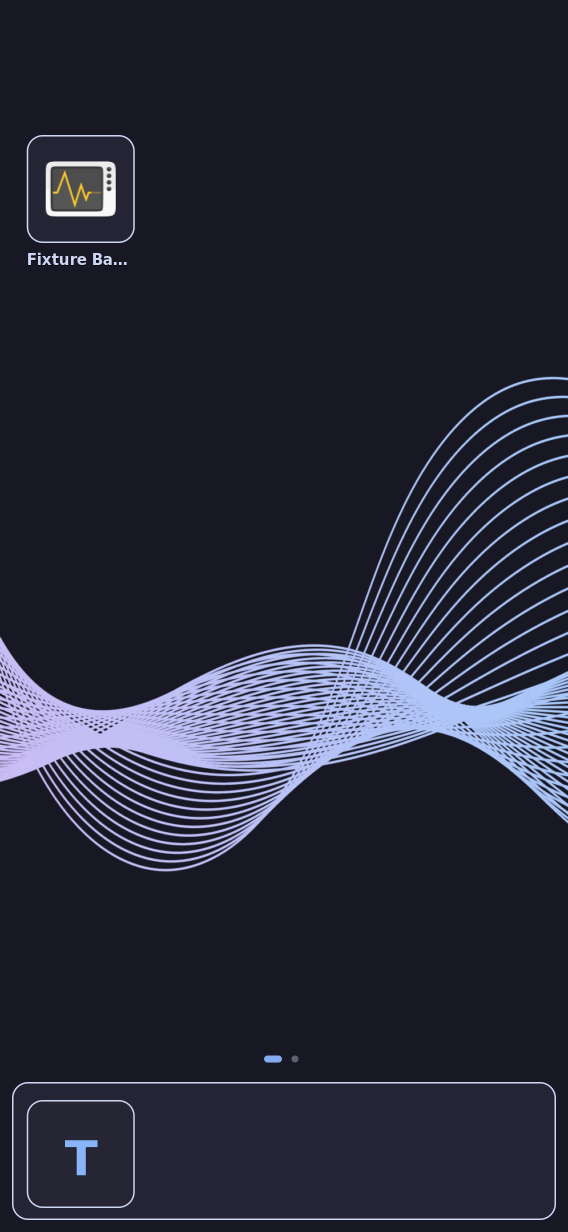
foldericon, matching the real Files entry’s own icon name). - home-dark-back-to-page1.png — a rightward
drag back to page 1, pixel-identical to
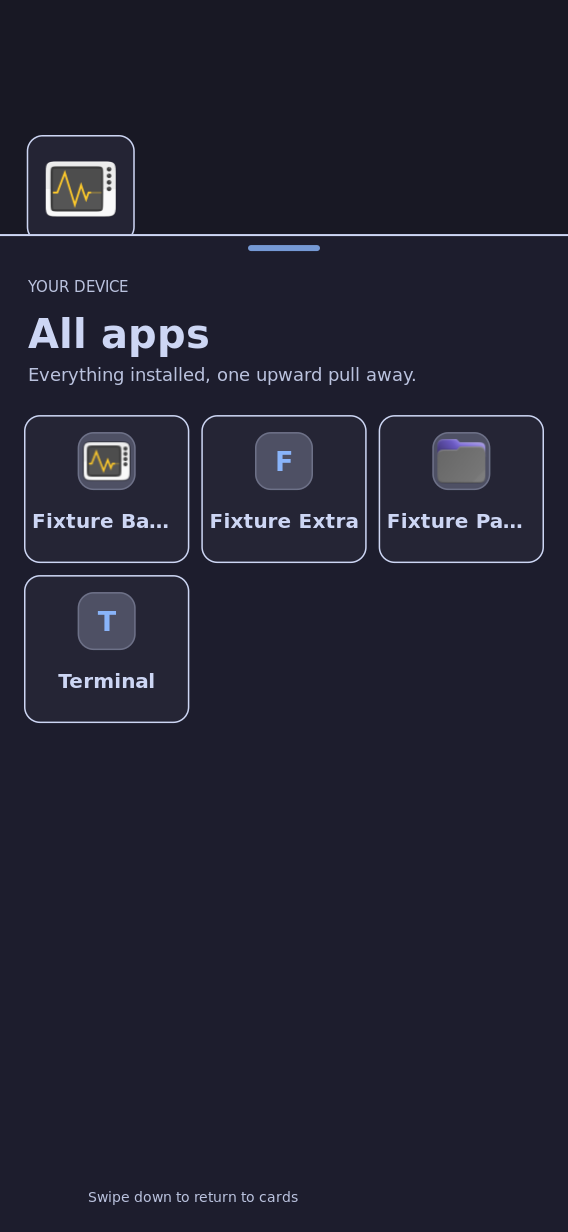
home-dark-page1.png. - home-dark-drawer.png — the existing “All apps”
drawer (unchanged code), reached via the
--surface drawershortcut. - home-dark-pin-flow.png — after a long-press on “Fixture Extra“‘s drawer tile (index 1: the drawer lists every entry case-insensitively by name, and “Fixture Badge” at index 0 is already pinned, so pinning it again would be a no-op) and dismissing the drawer: it lands in Home’s first free grid slot.
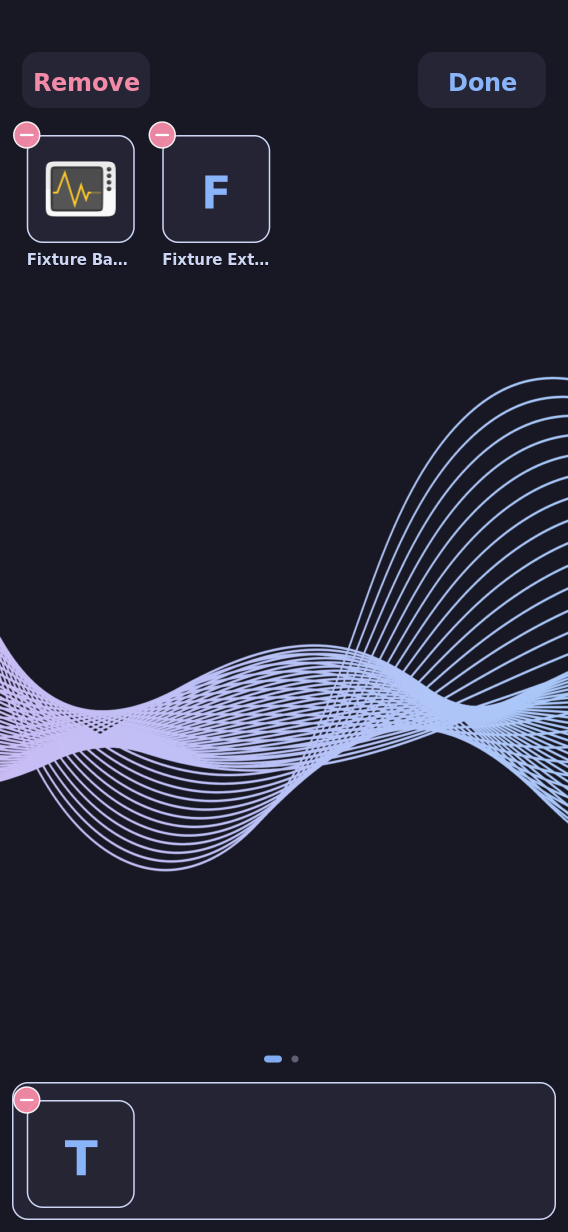
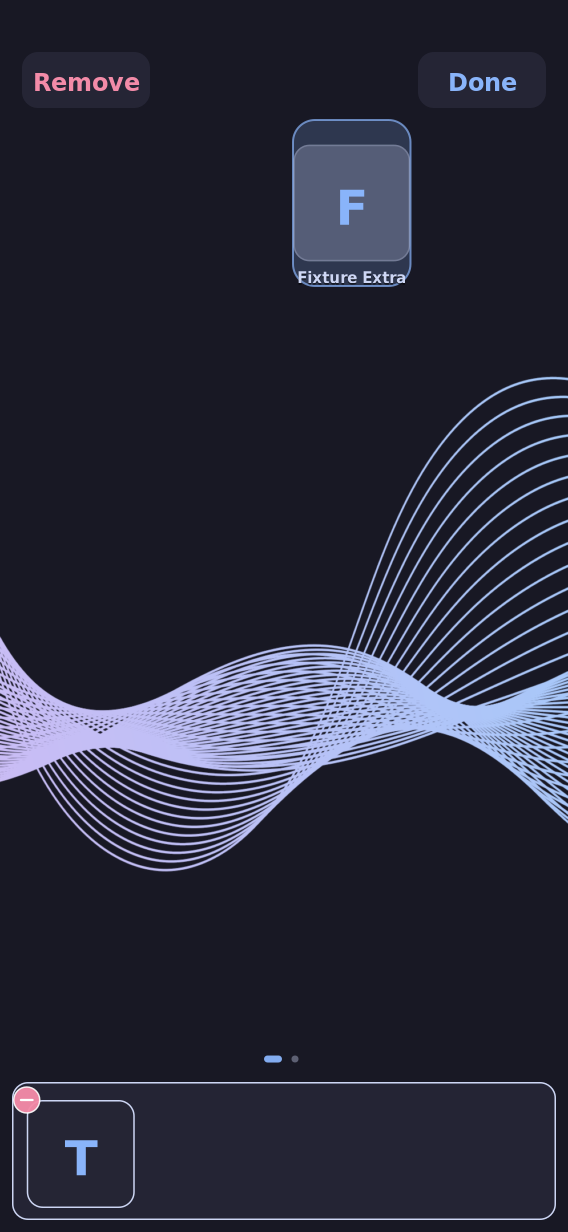
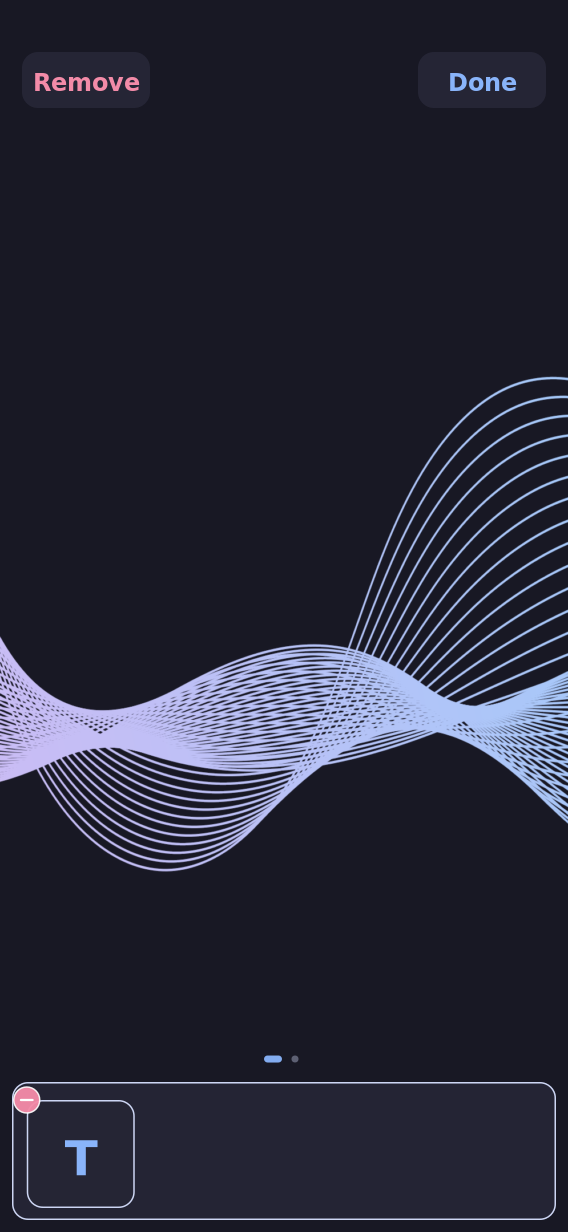
- home-dark-rearrange.png — a long-press on the newly pinned icon enters rearrange mode: finger-sized Done/Remove pills (now clear of the compositor’s top-edge gesture band) plus a small red remove badge on every filled icon, including the dock’s.
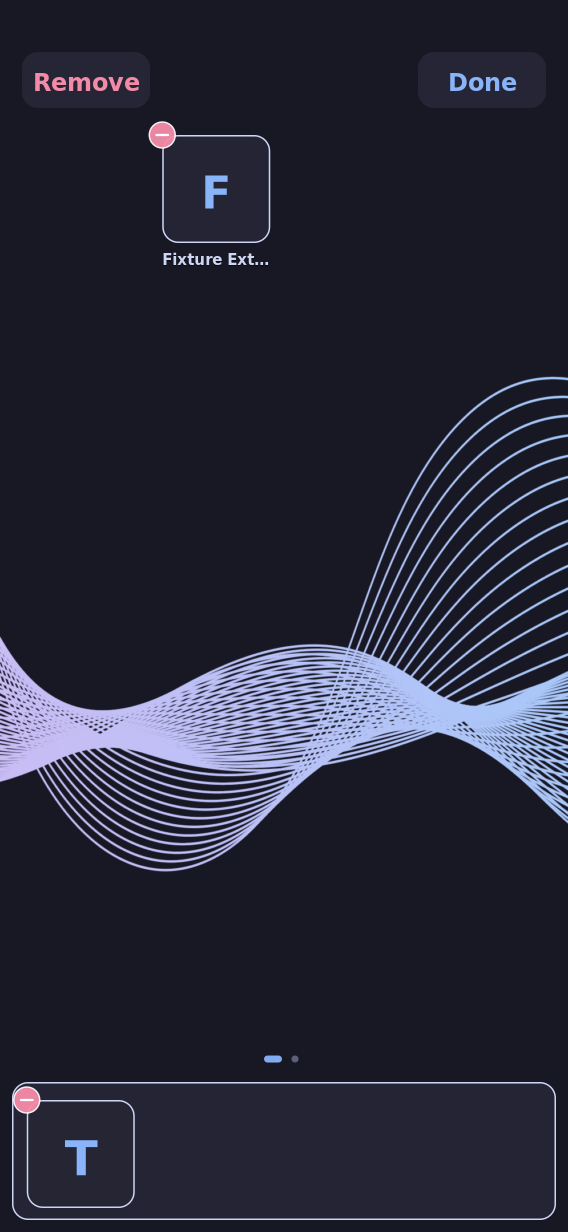
- home-dark-badge-removed.png — a single tap (no drag) on “Fixture Badge“‘s remove badge removes it outright; “Fixture Extra” and the dock are untouched, and rearrange mode stays active.
- home-dark-drop-target.png — “Fixture Extra” picked up again (already-rearranging jiggle-mode grab) and dragged toward an empty grid cell, captured mid-drag: the target cell shows a translucent accent-tinted highlight while the lifted icon (slightly enlarged, its label still visible) follows the finger.
- home-dark-removed.png — the same drag continued onto the Remove pill and released: “Fixture Extra” leaves Home via the original drag-to-target flow, proving both removal affordances coexist.
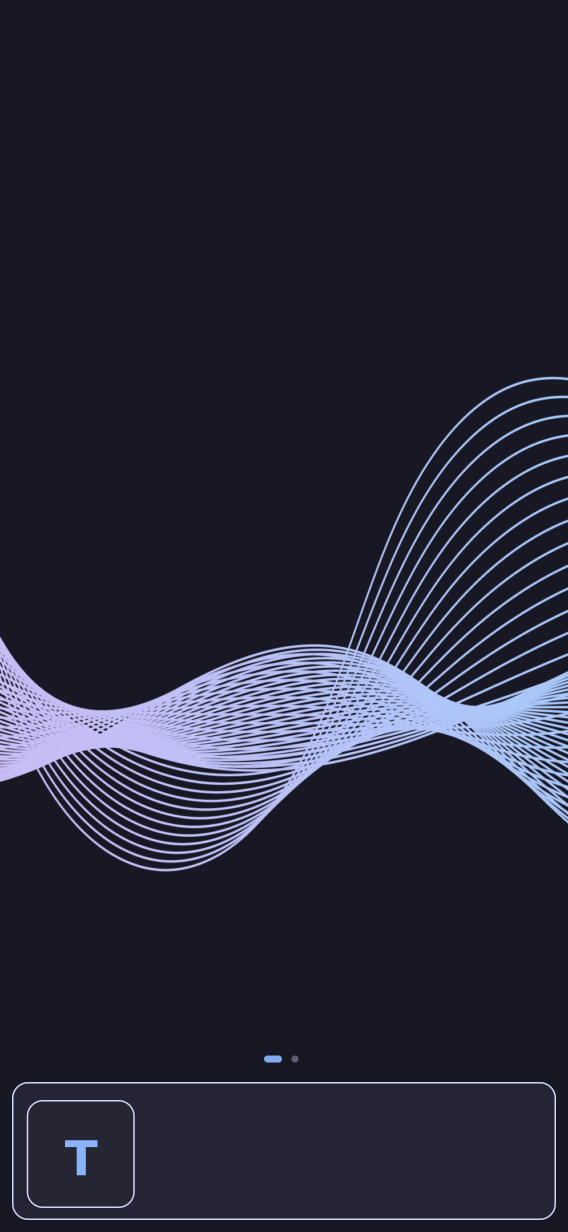
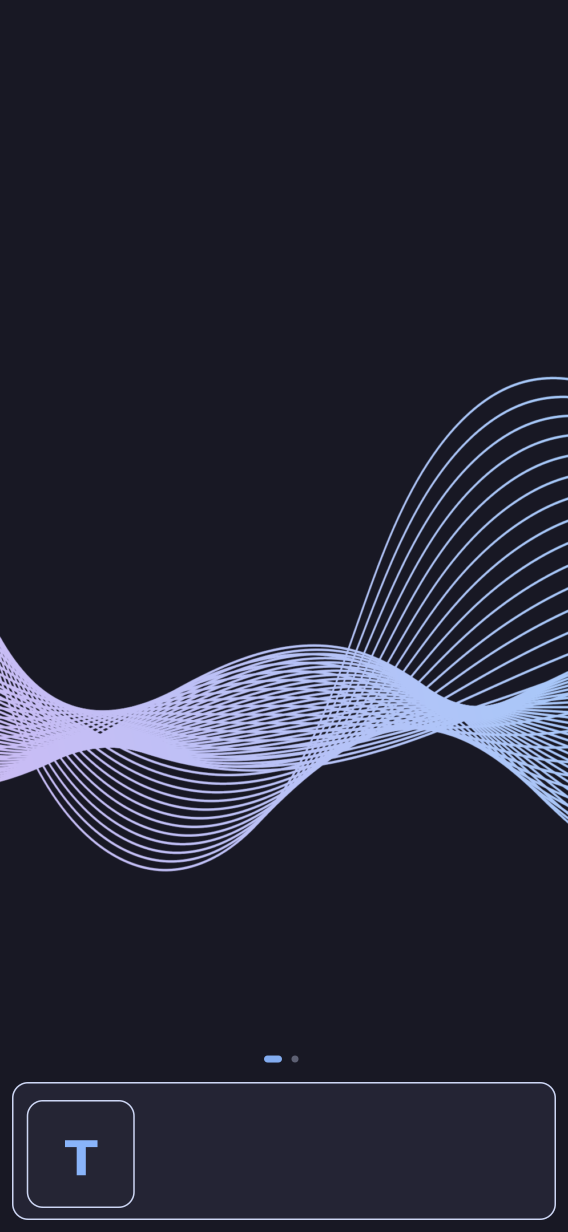
- home-dark-rearrange-done.png — a tap on
Done exits rearrange mode; this settled frame (not the original
home-dark-page1.png, which still showed the now-removed “Fixture Badge”) is the correct baseline for the restart check below. - home-dark-after-restart.png — the Rust
process was killed and restarted against the same persisted layout; this
is pixel-identical to
home-dark-rearrange-done.png(stable_after_restart), since both removals above are permanent.
Same fixture, light theme (catppuccin-latte, prepared live, real
1-color-fade.webp wallpaper):
- home-light-page1.png,
home-light-page2.png — Latte’s real palette
applies to Home’s dots, dock plate/border and labels exactly as it does to
the drawer/shade/settings surfaces (
light_differs_from_dark).
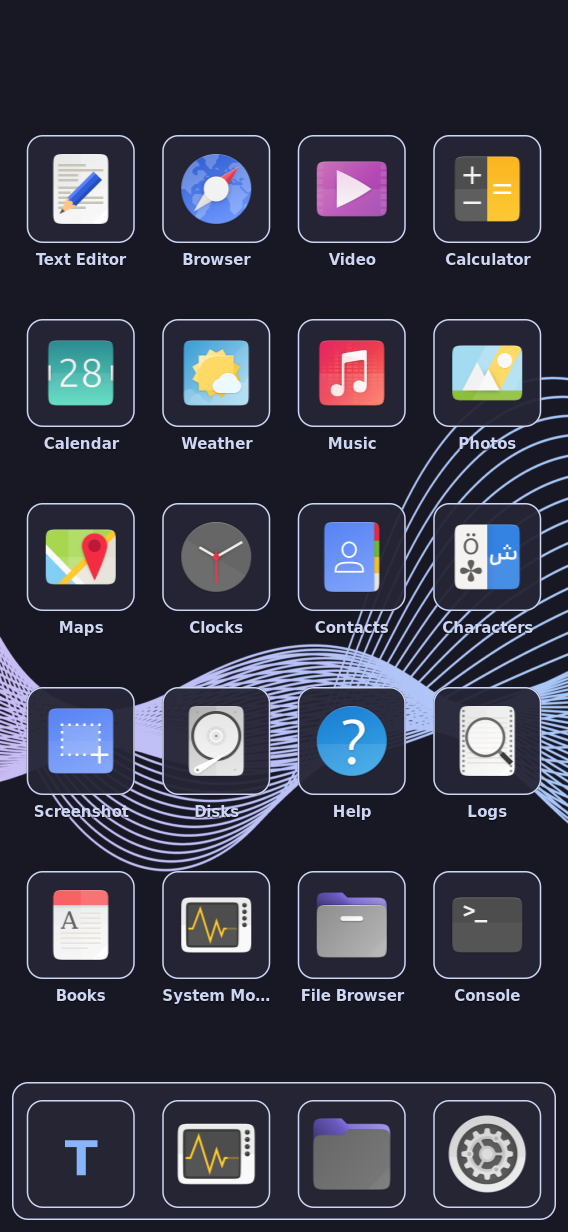
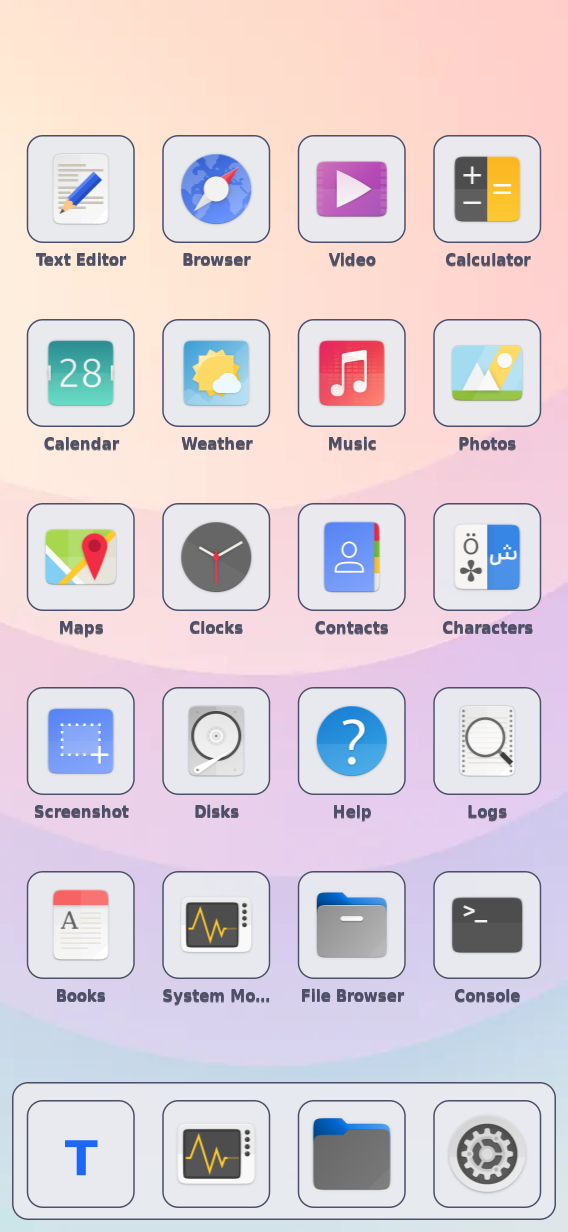
Showcase pass — a fully populated, single-page Home (not the interactive fixture’s deliberately sparse 2-4 apps), captured at rest only, one page exactly filling the 4x5 grid plus a 4-icon dock:
- home-dark-showcase.png, home-light-showcase.png — twenty-four real Yaru icons (Terminal/Monitor/Files/Settings in the dock; Text Editor, Browser, Video, Calculator, Calendar, Weather, Music, Photos, Maps, Clocks, Contacts, Characters, Screenshot, Disks, Help, Logs, Books, System Monitor, File Browser, Console filling the grid) over each theme’s real wallpaper. This is what the design is meant to look like day-to-day with a fully pinned Home; the sparse fixture above exists for precise interaction assertions, not visual review.
Limits retained
This proves headless QEMU compositor/client wiring, layout, theming, and one
real compositor-level touch-routing constraint (the edge-band finding above)
with injected touch. It does not prove a real finger, panel optics, daylight
readability, or physical long-press timing feel. Real-finger board
acceptance remains an open task in
openspec/changes/the-shell-presents-a-pinned-home-screen/tasks.md.
A prior run of the first-cut fixture found icon painting always fell back to
an initial-letter plate because the loaded appearance snapshot’s own
icon_theme field overrides whatever K230_ICON_THEME the process started
with; this run relies on that same mechanism deliberately (the bundled/
prepared generation’s own icon_theme, Yaru-purple/Yaru-blue, is what
selects the real icon theme, so K230_ICON_THEME is not set at all here). A
second, unrelated prior run intermittently captured a solid black frame for
a pass’s very first screenshot, since ready-idle only proves the process
logged its own startup line, not that the compositor painted a first real
frame; this run hit a variant of the same race specifically in the
24-icon-heavy showcase pass (icon decode outlasting the ordinary settle
wait) and adds an explicit longer settle plus a same-as-committed guard
check (showcase_*_is_not_a_blank_frame) so a recurrence fails loudly
instead of silently shipping a black screenshot.